Point of sale
POS billing software for your shop counter
Bill customers in seconds on any Windows PC. Every sale made at the counter updates your stock and your accounts at the same time, so the day's figures are always right.
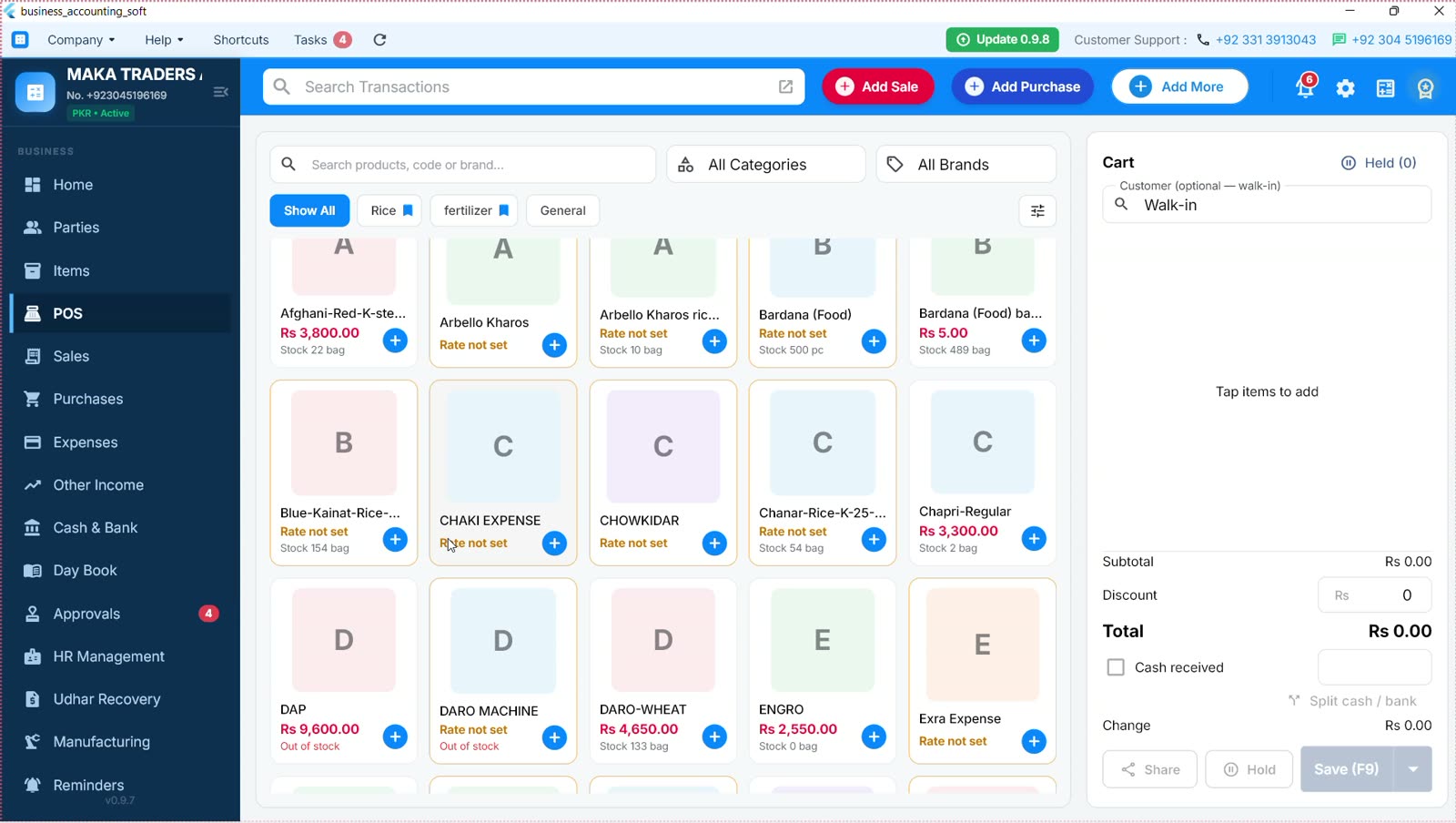
What you can do
Fast billing
Search items by name or SKU, tap to add them to the cart and change quantities with + and −.
Discounts and change
Give a discount, enter the cash received and the change to return is worked out for you.
Thermal receipts
Print receipts on your thermal printer. Printer and POS options are in Settings.
WhatsApp receipts
Send the receipt to the customer on WhatsApp in one click.
Stock and accounts together
Each POS sale is posted like a normal sale invoice: stock goes down and the ledger is updated.
Optional customer
Sell to a walk-in customer, or pick a party to keep their history and balance.
Card and split payments, parked sales and hardware barcode scanners are planned. POS is included from the Starter plan.
Questions
Does the POS work without internet?
Yes. Billing runs on your PC and your data is stored there. Internet is only needed for activation, updates and online backups.
Can I print receipts on a thermal printer?
Yes. Thermal receipt printing is built in, with its own printer settings.
Does a POS sale update my stock?
Yes. A POS sale is posted through the same pipeline as a sale invoice, so stock and accounts update together.
Which plan includes POS?
Point of sale is included from the Starter plan. See the Pricing page for details.
More answers on the FAQ page.
Also see
Start keeping better books today.
Download BAS Accounting Soft free. Upgrade when your business is ready.